
Which one sounds like you?
Path A
Change a password you know
Change it at My Sign-Ins
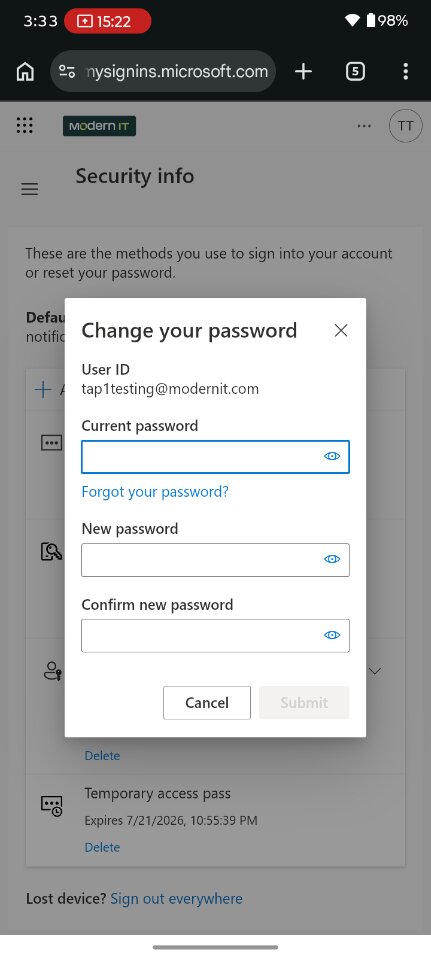
Go to mysignins.microsoft.com/security-info, sign in (approve on your phone), and choose Change password. Enter your current password, then your new password twice, and click Submit. That's it — you're done.
Path B
Set or reset your password
Start the reset
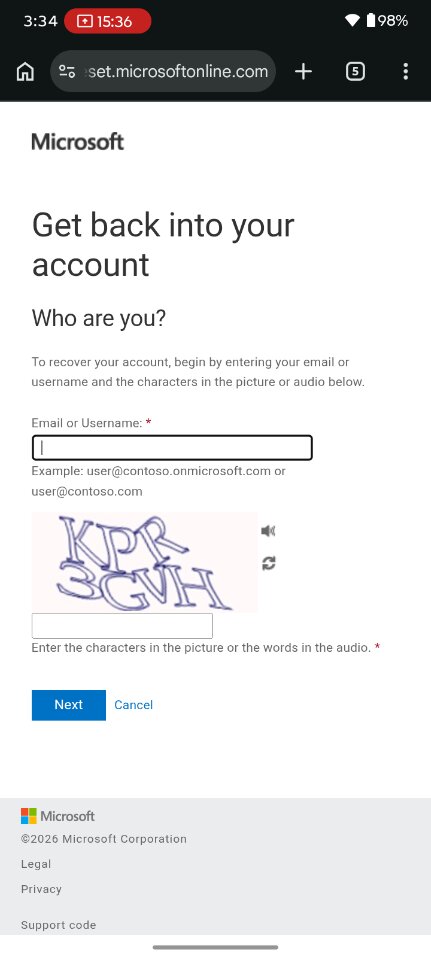
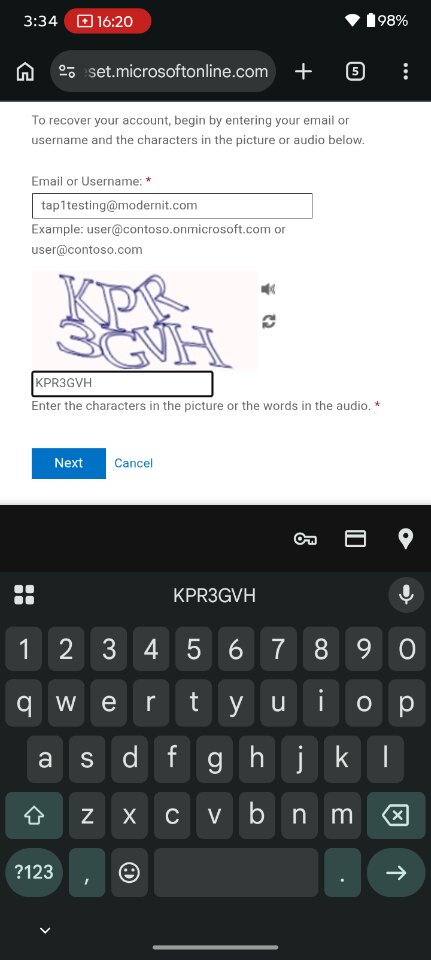
Go to aka.ms/sspr on any device. Enter your BestPack email and the characters shown, then click Next. Select I forgot my password and click Next.
"But I never had a password to forget"
That's fine — choose I forgot my password anyway. It's the same process whether you're replacing a password you can't remember or setting one for the very first time.
Prove it's you with your phone
For verification, choose Approve a notification on my authenticator app and click Send Notification. Approve the request on your phone, then enter your new password twice and click Finish. You'll see confirmation that your password has been reset.
Picking a strong password
- Use at least 12 characters, mixing uppercase, lowercase, numbers, and symbols.
- A passphrase like
SunshineCactusOrange42!is easy to remember and hard to guess. - Never share your password with anyone — including IT.